자꾸 우분투에서 Chrome이 패스워드를 물어 귀찮을 때 해결법
요즘들어 자꾸 우분투에서 Chrome이 최초 실행 시 ‘키링’을 위한 패스워드를 물어 귀찮다.
찾아보니 해결법이 있더라.
https://ubuntuforums.org/showthread.php?t=2377036&p=13708937#post13708937ubuntuforums.org터미널을 연 뒤에, /usr/share에 있는 아이콘 파일을 로컬의 share로 복사한다.
cp /usr/share/applications/google-chrome.desktop ~/.local/share/applications그 뒤에 편집기로 파일을 연다.
$ vi ~/.local/share/applications/google-chrome.desktop열어보면, 실행 관련 명령어 라인이 세 개가 있다.
[Desktop Entry]
....
Exec=/usr/bin/google-chrome-stable %U

[Desktop Action new-window]
...
Exec=/usr/bin/google-chrome-stable

[Desktop Action new-private-window]
...
Exec=/usr/bin/google-chrome-stable --incognito
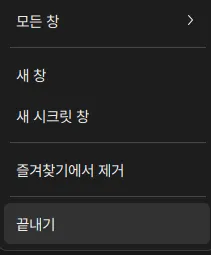
실행 명령어가 세 개나 되는 이유는, 아이콘을 우클릭 할 때 나타나는 ‘실행 방법’에 따른 명령어이다.
이 모두에게 실행시 --password-store=basic 파라미터를 모두 넣어주면 된다.
vi에서 esc를 누르고 :를 누른 뒤에 아래의 명령어를 붙여넣자[ctrl+shift+v].
%s/google-chrome-stable/google-chrome-stable --password-store=basic/g모두 일괄 적용이 되어 있을 것이다. 저장 후 로그아웃, 로그인을 해보자.
*만약 해도 적용이 안된다면… 다이렉트로 /usr/share/applications/google-chrome.desktop 파일을 편집하자 ;)